
By Dave Daugherty, Principal at SB360 | Updated: August 2026
A change order can be verbally agreed to in thirty seconds on a job site. That's exactly the problem. Nothing about a verbal agreement protects you if the client later disputes the cost, claims it was part of the original scope, or simply forgets what was said. If you want the short version of what a change order actually is before diving into the form itself, see what is a change order in construction.
The form is what turns a conversation into a contract. If you want the full process — from identifying a change to collecting payment for it — see our guide on how to manage change orders in construction. This page is just about the document itself: the exact fields it needs, and a template you can start using today.
Leave any of these out, and the form is weaker than it should be — either as a business record or as legal protection if the change is ever disputed.
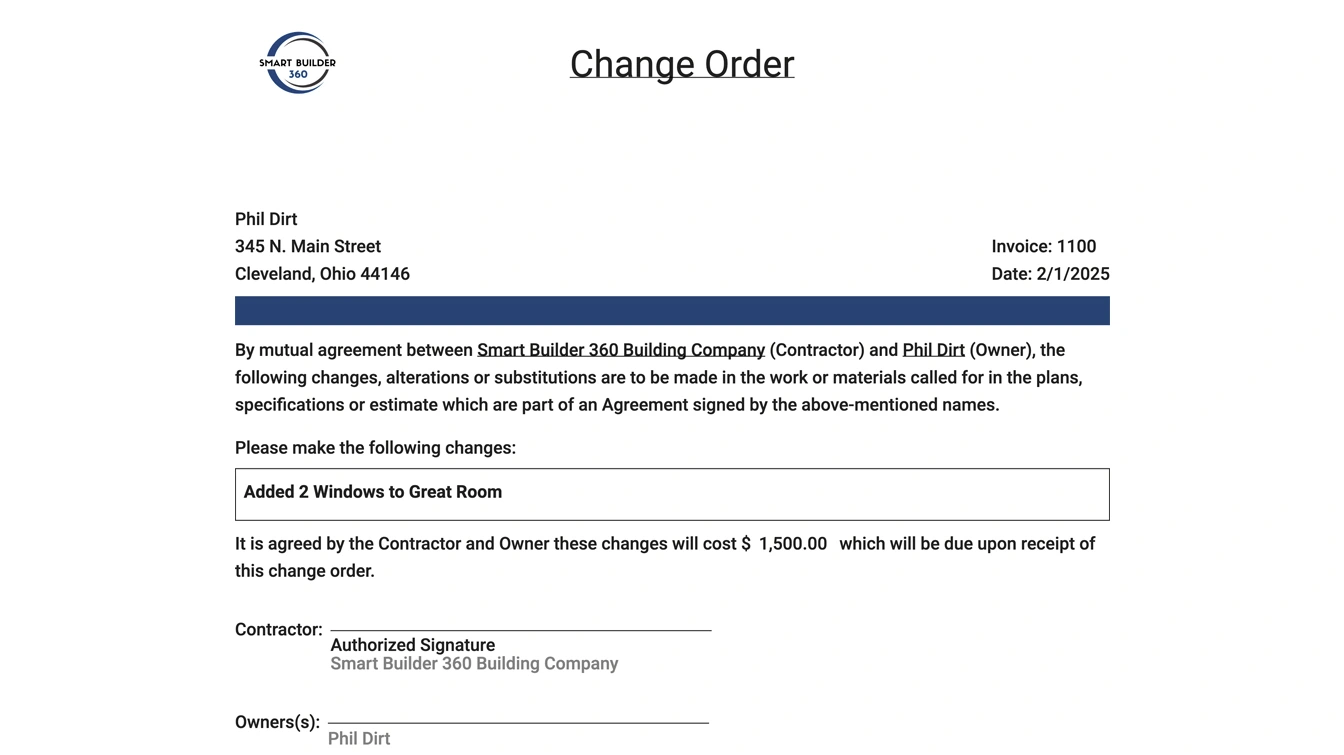
Here's what that looks like filled out on a real change order:
These aren't legally necessary on every change order, but they close gaps that cause disputes later:
Every field above is already built into Smart Builder 360's change order tool — no re-typing, no separate template to manage. Enter your name and email to start a 30-day free trial, no credit card required.
Change orders, bank draws, and scheduling — all in one place. No credit card required.
We'll only use your email for your trial and occasional builder resources. No spam.
A template only protects you if it's actually used every time a scope changes — not just on the big ones. Print a few blank copies and keep them in the truck, or better, fill it out digitally the moment a change comes up so nothing gets lost between the jobsite conversation and the paperwork.
If you're managing more than a couple of change orders per project, a spreadsheet or paper form starts to break down fast — there's no running total against the contract, no automatic numbering, and nothing stopping a change from slipping through undocumented. That's exactly the gap a dedicated change order process closes, and it's why Smart Builder 360 builds change order tracking directly into the estimator rather than as a separate document.
A unique change order number, date of issue, project name and address, the original contract reference number, a detailed description of the scope change, the reason for the change, an itemized cost breakdown, the schedule impact, an approval deadline, and signature lines for both the contractor and the owner.
Yes, once it is signed by both the contractor and the owner. An unsigned change order, or one where work started on a verbal approval only, weakens your legal position if the change is later disputed.
Yes. A single well-built template can be reused across every job — only the project-specific details (contract reference, description, cost, and signatures) change each time.
A change order request is the initial ask before pricing and approval. The change order form is the final, signed document that makes the change official — it should only be executed once both parties agree on cost and schedule impact.
The form itself isn't the hard part — it's using it consistently, on every change, no matter how small. Start your free trial above to build change orders like this directly in Smart Builder 360, and pair it with a real process using our guide on how to manage change orders in construction.
Want change orders tracked automatically instead of on paper? Start your 30-day free trial of Smart Builder 360, no credit card required.
Let's build smarter, together.

Our team of experts is ready to help around the clock.
