
Smart Builder 360 helps residential builders prepare cleaner bank draw requests by keeping draw details, schedules, cost information, documents, and lien waiver notes organized in one workflow.
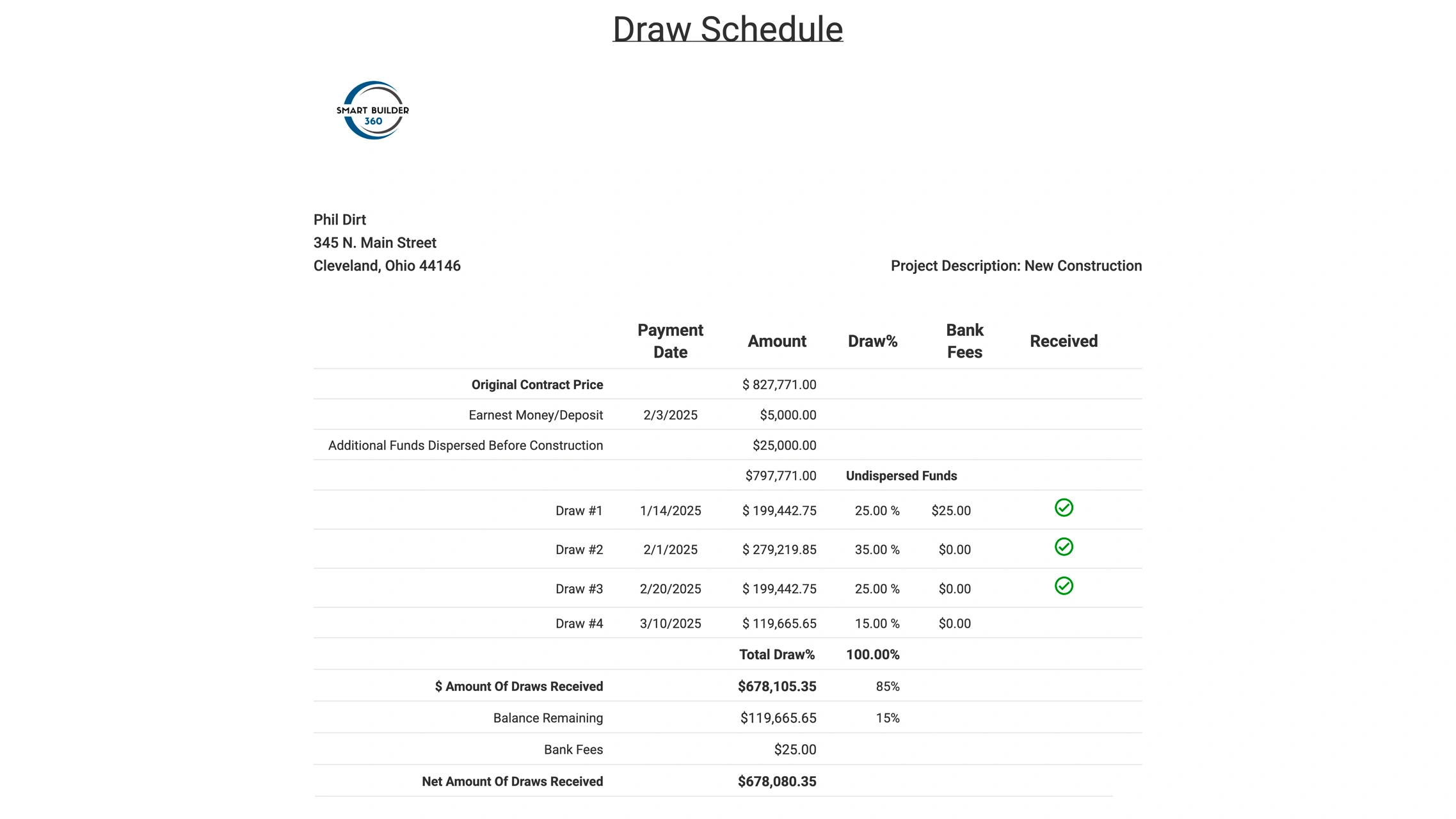
A bank draw form is a request for construction loan funds after work has been completed on a project. It usually includes the requested draw amount, milestone, percentage complete, cost breakdown, supporting documents, and lien waiver details. Smart Builder 360 includes a native bank draw form workflow so builders can organize this information from the same project data they already use to manage the job.
Bank draws are not just paperwork. They connect your schedule, budget, completed work, lender expectations, and payment timing. SB360 gives builders one place to keep that information organized before sending it to the bank.
Track the milestone, requested amount, percentage complete, and project information connected to each draw.
Keep draw requests connected to the work completed, project timeline, and cost categories behind the job.
Keep invoices, photos, approvals, and lien waiver details easier to find when the lender asks for backup.
This walkthrough explains why draw requests get delayed, what banks usually need, and how better project organization helps builders get paid with less back and forth.
Most draw problems come from missing information, unclear progress, or documents that are scattered across emails, folders, spreadsheets, and job notes.
For more background, read the full guide on how the bank draw process works for home builders.
Smart Builder 360 is not just storing files. The platform includes a bank draw form workflow built for residential builders, so draw request information can stay connected to the job instead of being recreated manually every time a payment milestone is reached.
Use the project record, schedule, and cost information already inside SB360 as the foundation for the draw request.
Organize the requested amount, milestone, percentage complete, and supporting cost information.
Keep lien waiver details, invoices, photos, approvals, and project documents close to the request.
Send cleaner information to the lender and reduce back and forth caused by missing paperwork.
The first draw is only the beginning. Builders need a repeatable process for each milestone, especially when multiple jobs are active at the same time. If you want the plain-English version first, see our guide on what a bank draw form is in construction.
Keep lender paperwork organized around the milestone and work completed.
Connect draw requests to the cost categories and progress details behind the job.
Make it easier to track the documents that help keep payments moving.
Smart Builder 360 gives small builders a practical way to keep draw forms, project costs, schedules, and documents organized in one workflow.

Our team of experts is ready to help around the clock.
