
Smart Builder 360 helps residential builders organize client selections, finish choices, allowances, approvals, and project communication in one builder-first workflow.
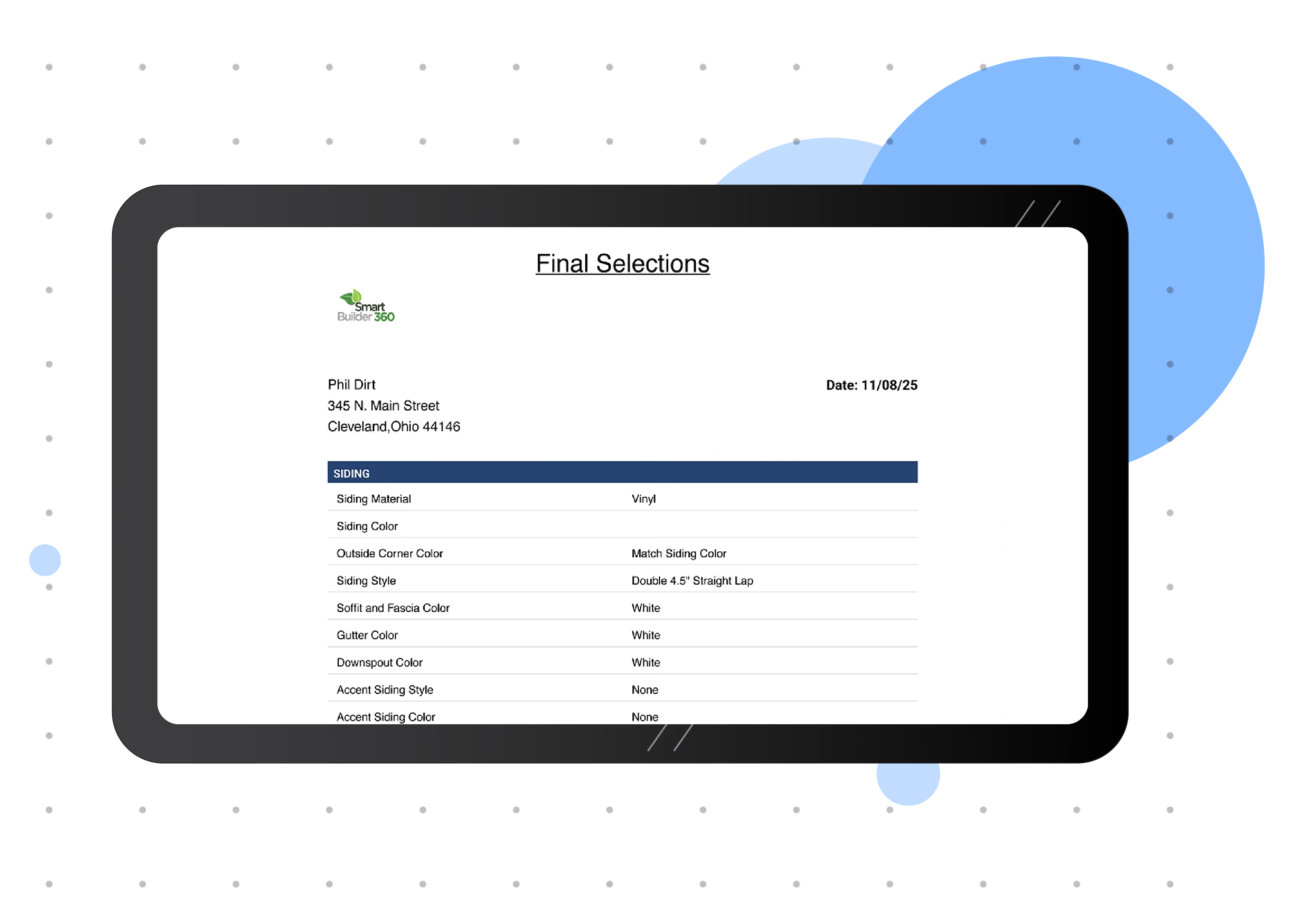
Selections are the products, finishes, materials, colors, fixtures, and options a client chooses during a home build or remodel. They can include cabinets, countertops, flooring, tile, lighting, plumbing fixtures, paint colors, appliances, and other project details. Smart Builder 360 gives builders one place to organize those choices so decisions are easier to track, approve, and communicate.
Selections are not just design preferences. They affect the estimate, schedule, ordering, installation, allowances, and client expectations. SB360 helps builders keep those details clear before they create confusion in the field.
Keep client decisions for materials, fixtures, colors, and options easier to find and review.
Connect selections to budgets and allowances so upgrades and overages are easier to manage.
Reduce confusion by keeping selection decisions and approval details connected to the project.
Selection problems usually happen when decisions are scattered across emails, text messages, showroom notes, spreadsheets, and conversations. By the time the field team needs the answer, nobody knows which version is final.
Smart Builder 360 helps builders keep selection details connected to the job so client decisions are easier to manage from the first choice through final approval.
Track the room, category, product, material, color, option, or finish connected to the project.
Keep selections connected to allowances, upgrades, and cost changes before they affect the job.
Make it easier to confirm what the client selected and reduce disputes later.
Give the builder, office, and field team a cleaner source of truth for selected items.
Selection decisions influence estimating, purchasing, scheduling, installation, and client communication. A cleaner process helps builders avoid rework and protect margins.
Connect selections and upgrades back to project pricing and allowances.
Keep decision timing visible so late selections do not surprise the project schedule.
Keep client choices easier to reference when questions come up later.
Smart Builder 360 gives small builders a practical way to organize client selections, approvals, costs, and project communication in one workflow.

Our team of experts is ready to help around the clock.
